Platform > Section 232

Section 232 tariffs.
Made simple.

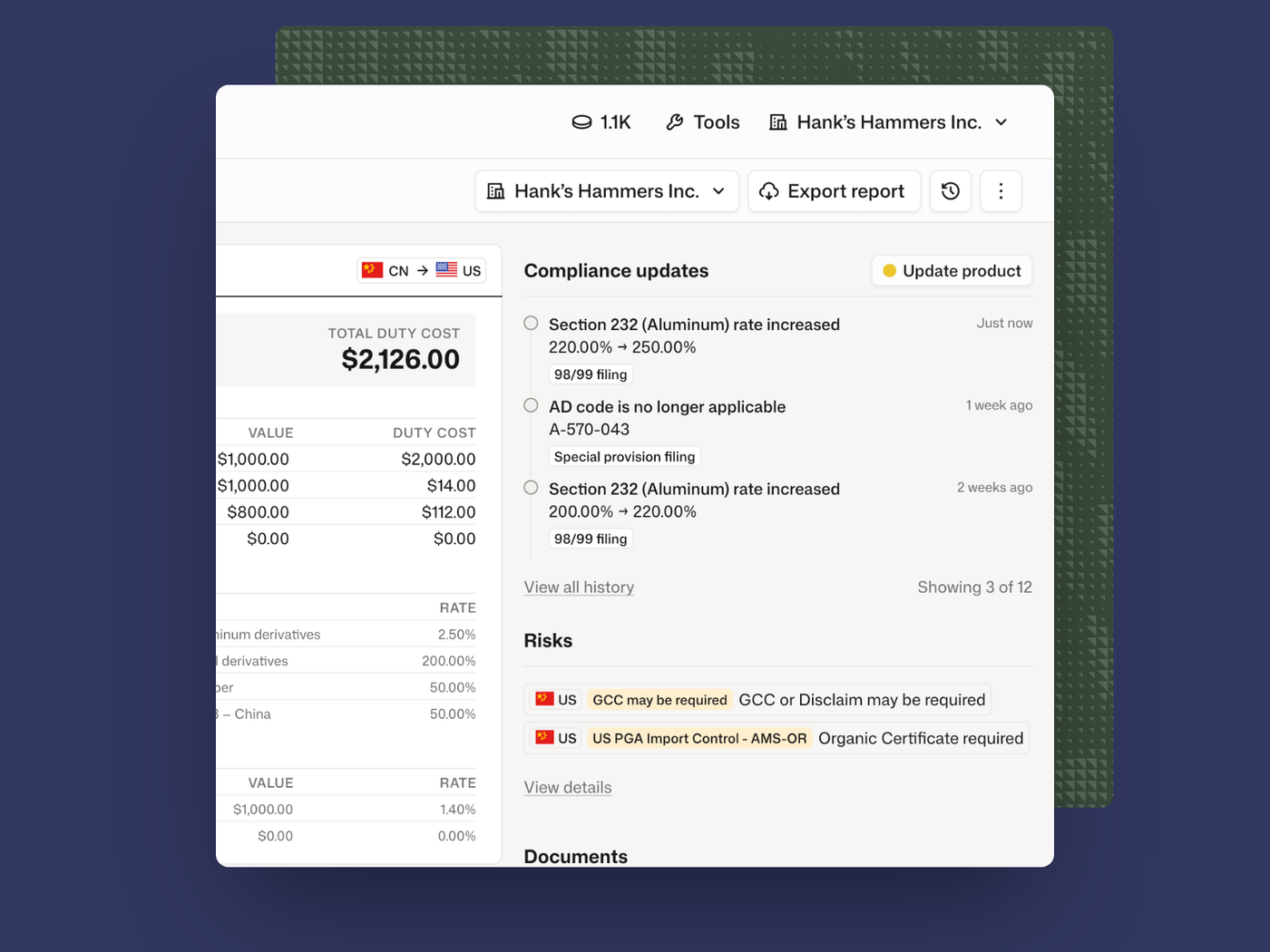
Section 232 gets complicated when one HTS code creates numerous questions. What is the product used for? Which Chapter 99 codes apply? Where was the metal produced? Does the product contain steel or aluminum? Tru asks the product questions that matter, applies current Section 232 rules, and returns the filing treatment your team needs.

Section 232 product screenshot
The Challenge

Obscure data. Convoluted duty calculations. Constant changes.

232 requires hard to find supply chain data

The commercial invoice doesn’t show weight by metal, smelt or melt-and-pour country, or US content. Your suppliers have those facts, or their suppliers do. If you leave the aluminum’s smelt country blank, CBP assesses the 200% Russia provision, even on a product made in Canada. One product can take several rounds of emails before you have them all.
Working out the 99s is the hard part

Steel, autos, copper, pharmaceuticals and drones each set their own scope and reporting. USMCA treatment and exceptions don’t carry from one program to the next. A part can sit on an automotive list with no automotive use and still need 99s that say so. A provision can apply and still give way to one that excludes it. Miss a step and you file a wrong line.

Four new 232 actions in eight weeks

Copper smelt-and-cast reporting took effect July 30, pharmaceuticals July 31, unmanned aircraft September 3 and polysilicon anti-stockpiling rules September 22. Two of them added facts you now have to get from suppliers. A 99 spreadsheet built in June was out of date by August.

How it Works

Focus only on the missing data that matters. Tru does the rest.

01

Start with the product

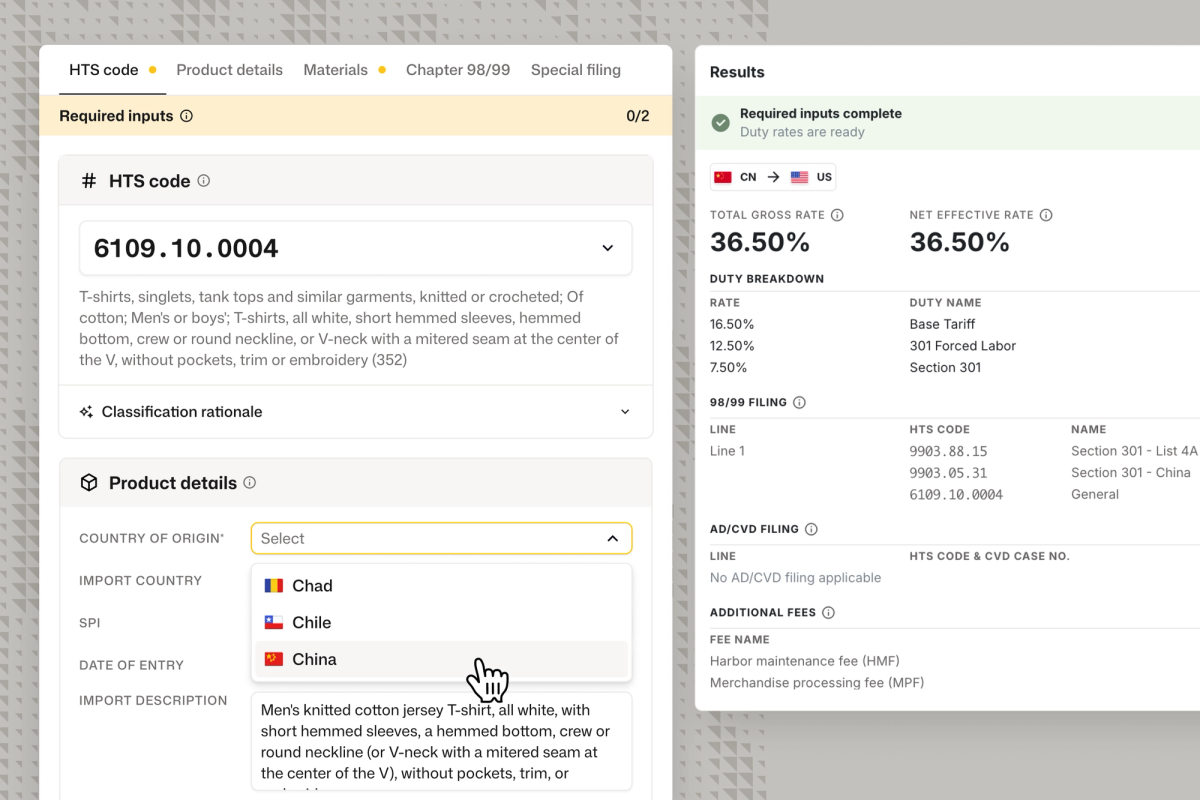
Enter an HTS code, or a description if the product still needs classifying. Add the country of origin and the date of entry.

02

Answer the questions that apply

Tru names the 232 lists the code sits on and marks the facts that apply, like steel content by weight or the aluminum’s country of smelt. Skip the rest.

03

Copy the lines you file

Tru returns the Chapter 99 lines in filing order with a Copy button, the duty on each line and in total, and a flag on any fact it had to assume.

“What we can do in a few minutes now would have taken us well over an hour.”

Corie Koropatnicki, LCB, CCS

Director, US Clients Services, GHY

Importers

Defensible 232 workflow and consistent broker instructions

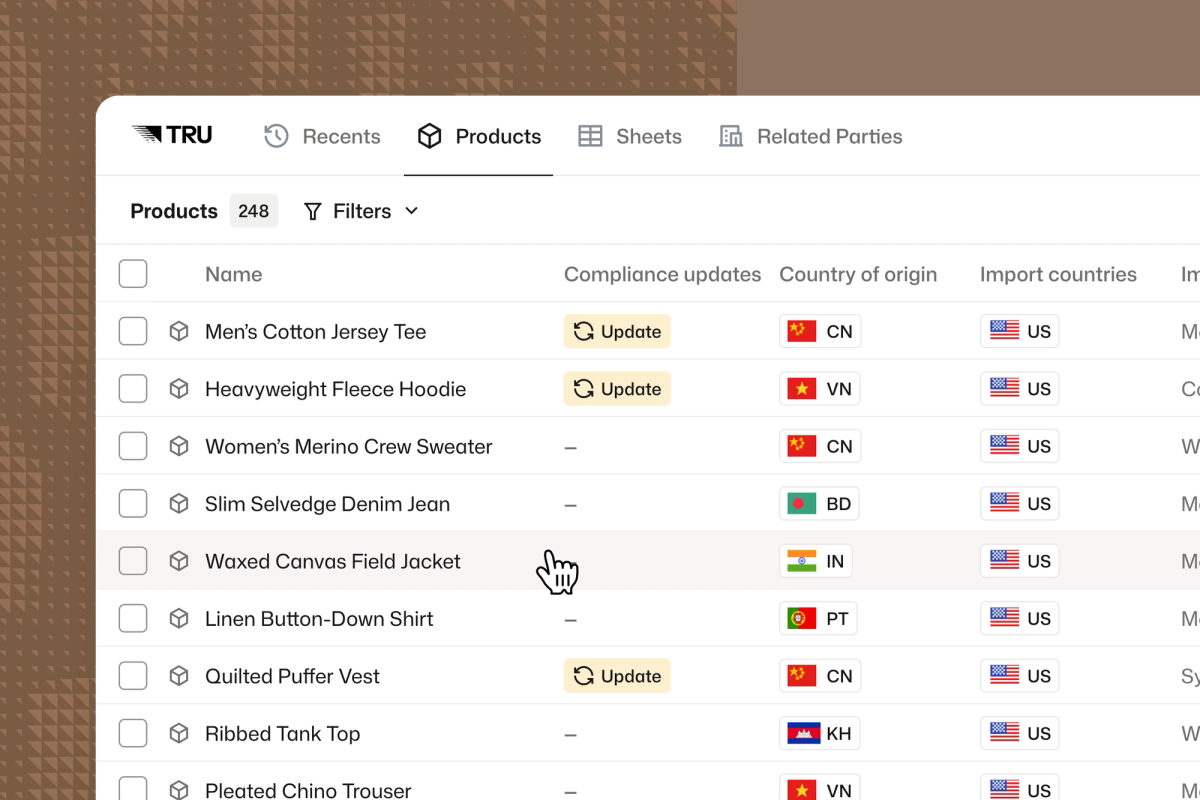
  • See which products in your catalog sit on a 232 list, and which facts are still missing.
  • Keep each product’s material content, smelt and cast country, and US content in one record, and send your brokers the same facts.
  • Model a sourcing change in the Tariff Simulator before you place the order.
  • Re-run any product at the rates in force on a past date of entry.
Importer Dashboard screenshot

Customs Brokers

A correct 232 stack from any entry writer on your team

  • Entry writers answer questions about the product instead of memorizing 99 sequences.
  • Change one fact across a client’s catalog, such as Contains steel: No, and re-run the lines.
  • Review 99s flags conflicting 99s and known edge cases before you file.
  • Mark a client non-automotive once, and Tru applies it across that client’s catalog.
Product detail page screenshot